
1The three parts of a workflow
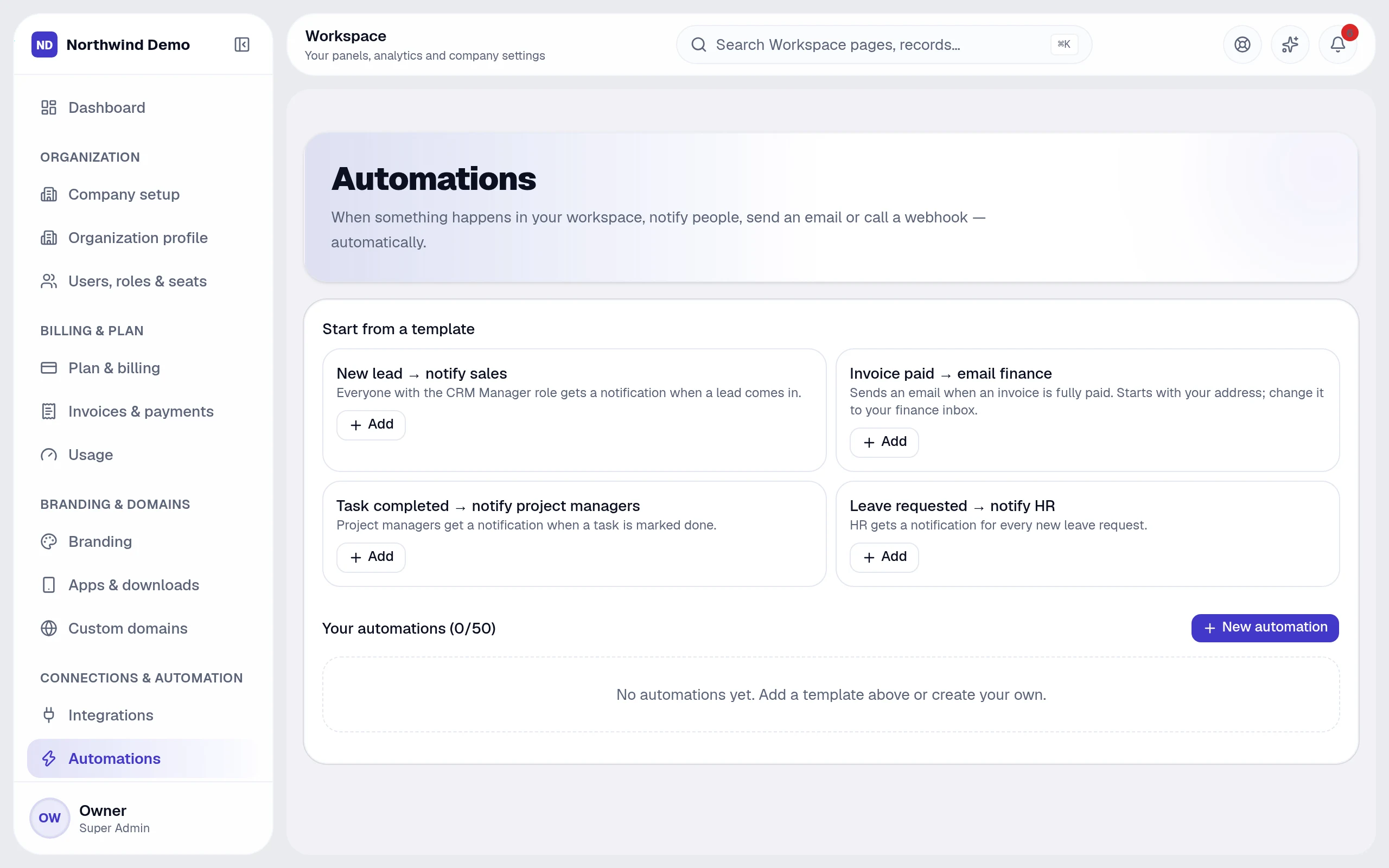
Every automation has a trigger (something that happens, such as a lead being created), optional conditions (only when the deal value is above a threshold) and one or more actions (send an email, notify a person, call a webhook).
2Where to find them
Open Workspace → Settings → Automations to create and manage workflows. Each workflow can be switched on or off without deleting it, and a run history shows what happened and why.
3Three to start with
Notify the owner when a new lead arrives. Remind the owner when a follow-up is overdue. Email the finance team when an invoice is overdue by seven days.
Imports never trigger workflows, so importing existing data will not flood anyone with notifications.
4Keeping people in control
Workflows can notify and ask for approval instead of acting on their own. Use approvals for anything that moves money or changes records you cannot easily undo.
Related guides